
Votre panier est vide !















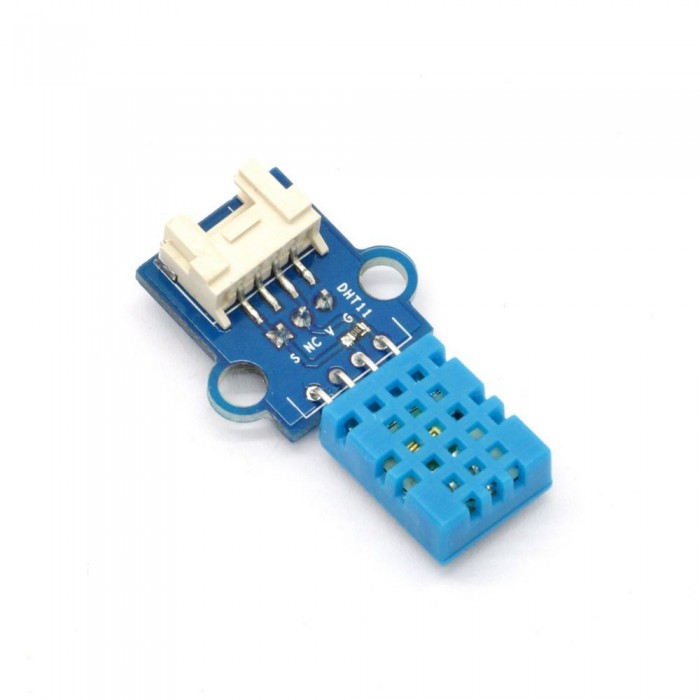
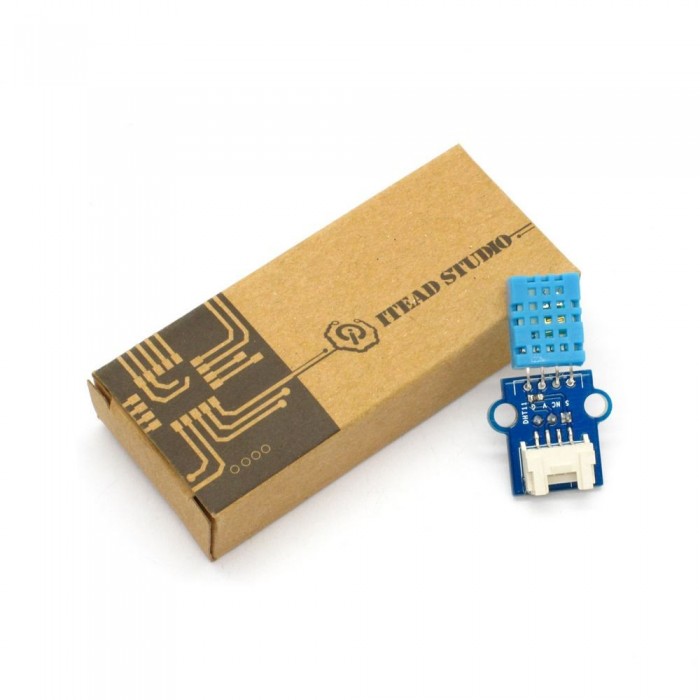
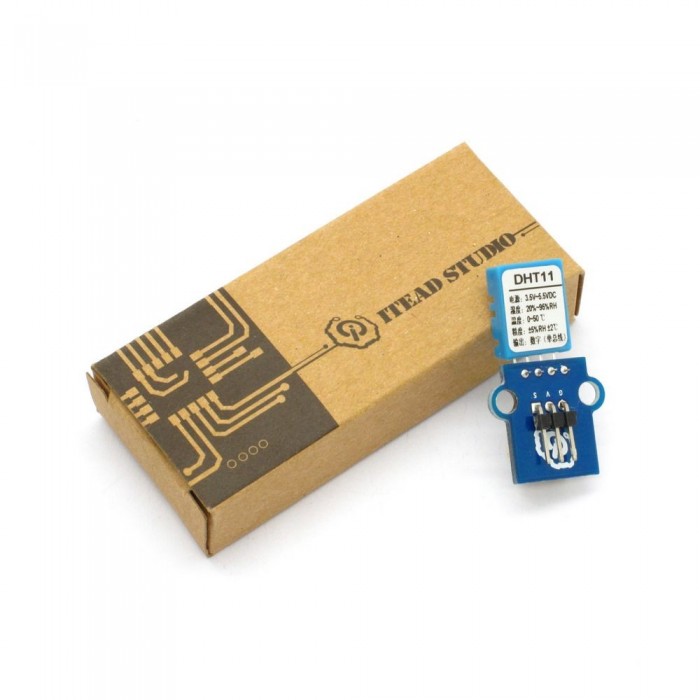
Capteur d'humidité de température DHT11
Prix :
1.000,00DA
H.T : 1.000,00DA
| Modèle : | DZD000093 |
| Fabricant : | IteadStudio |
| Disponibilité : | 8 |
| N° de visites: | 1764 |

DHT11 electronic brick of digital temperature & humidity sensor features a digital temperature & humidity sensor complex with a calibrated digital signal output. Its single-bus operation, extremely small size and low consumption enable it to be used in HVAC, automotive, weather stations, dehumidifier and other applications.
What is an electronic brick? An electronic brick is an electronic module which can be assembled like Lego bricks simply by plugging in and pulling out. Compared to traditional universal boards and circuit modules assembled with various electronic components, electronic brick has standardized interfaces, plug and play, simplifying construction of prototype circuit on one’s own. There are many types of electronic bricks, and we provide more than twenty types with different functions including buttons, sensors, Bluetooth modules, etc, whose functions cover from sensor to motor drive, from Ethernet to wireless communication via Bluetooth, and so on. We will continue to add more types to meet the various needs of different projects.

Features
1. Plug and play, easy to use. Compatible with the mainstream 2.54 interfaces and 4-Pin Grove interfaces in the market.

2. With use of M4 standard fixed holes, compatible with M4-standard kits such as Lego and Makeblock.

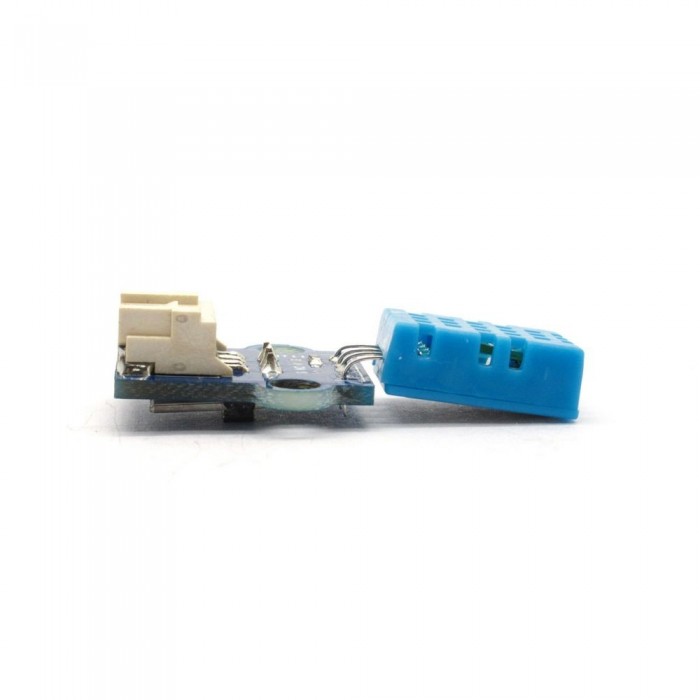
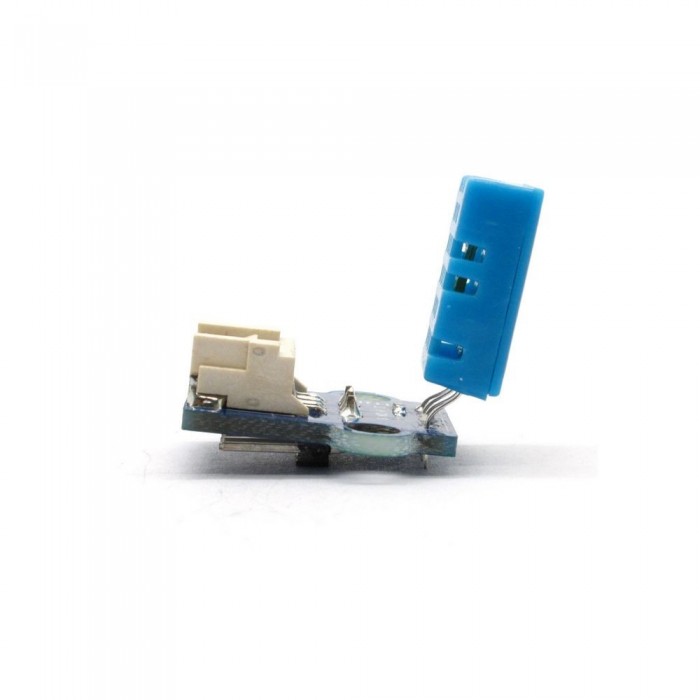
3. Rotatable detecting direction for better adaption.

Specifications
| PCB size | 22.0mm X 20.5mm X 1.6mm |
| Working voltage | 3.3 or 5V DC |
| Operating voltage | 3.3 or 5V DC |
| Measurement range | 20-95%RH;0-50℃ |
| Resolution | 8bit(temperature),8bit(humidity) |
| Compatible interfaces | 2.54 3-pin interface and 4-pin Grove interface(1) |
Note 1: S for digital input/output port, V and G for voltage at the common collector and ground respectively
Electrical characteristics
| Min. | Typical | Max. | Unit | ||
| Working voltage | 3 | 5 | 5.5 | VDC | |
| Working current(VCC=5V,T=25℃) | 0.5 | - | 2.5 | mA | |
| Sampling interval | 1 | - | - | s | |
| Humidity | |||||
| Accuracy | 25℃ | - | ±4 | - | %RH |
| 0-50℃ | - | - | ±5 | %RH | |
| Measurement range | 25℃ | 20 | - | 95 | %RH |
| Response time | 1/e(63%)25℃,1m/s air | 6 | 10 | 15 | s |
| Temperature | |||||
| Accuracy | ±1 | - | ±2 | ℃ | |
| Measurement range | 0 | - | 50 | ℃ | |
| Response time | /e(63%) | 6 | 30 | s | |
Communication Process: Serial Interface (Single-Wire Two-Way)
Single-bus data format is used for communication and synchronization between MCU and DHT11 sensor. One communication process is about 4ms. Data consists of decimal and integral parts, and the specific format will be described below. Current decimal part is for future expansion which is read as zero now. The operation process is as below: a complete data transmission is 40bit, and the sensor sends higher data bit first.
Data format: 8bit integral RH data + 8bit decimal RH data + 8bit integral T data + 8bit decimal T data + 8bit check sum. If the data transmission is right, the check-sum should be the last 8bit of "8bit integral RH data + 8bit decimal RH data + 8bit integral T data + 8bit decimal T data".
When MCU sends a start signal, DHT11 changes from the low-power-consumption mode to the running-mode. Once the start signal is completed, DHT11 sends a response signal of 40-bit data and trigger a signal acquisition. Users can choose to collect (read) some data. Without the start signal from MCU, DHT11 will not collect temperature & humidity information spontaneously. Once data is collected, DHT11 will change to the low-power-consumption mode until it receives a start signal from MCU again.
1. Communication process is shown in the following diagram

Free status of data single bus is at high voltage level. MCU needs to pull down bus for more than 18ms to wait for response from DHT11 to make sure that DHT11 can detect the start signal. Once DHT11 receives the start signal from MCU, it will wait to send 80us low level response signal till the start signal is over. After the start signal from MCU is over, delay and wait for 20-40us, then read the response signal of DHT11. After MCU sends the start signal, it can switch to input mode or output high level, while the bus will be pulled up by the pull-up resistor.

When the bus is at low level, it indicates that DHT11 sent a response signal, after which, pull up the bus for 80us. When sending data, every bit of data begins with the 50us low-voltage-level and the length of the following high-voltage-level signal determines whether data bit is "0" or "1". Format is shown in the following diagram. If the response signal read is high level, DHT11 will not respond, please check the cable connections.After last bit of data is transmitted, DHT11 will pull down bus for 50us, then bus will be pulled up by pull-up resistor into free status.
2. Signal indication of data 0 is shown in the following diagram.

3. Signal indication of data 1 is shown in the following diagram.

DEMO
Connect S port of electronic brick of digital temperature & humidity sensor to A0 port of Arduino board, and we will use the following program to read the temperature & humidity value. Following is the link for DHT11 library: ftp://imall.iteadstudio.com/Electronic_Brick/IM120710021/DC_IM120710021.zip
|
1
2
3
4
5
6
7
8
9
10
11
12
13
14
15
16
17
18
19
20
21
22
23
24
25
26
27
28
29
30
31
32
33
34
35
36
37
38
39
40
41
42
43
44
45
46
47
48
49
50
51
52
53
54
55
56
57
58
59
60
61
62
63
64
65
66
67
68
69
70
71
72
73
74
75
76
77
78
79
80
81
|
//Celsius to Fahrenheit conversiondouble Fahrenheit(double celsius){return 1.8 * celsius + 32;}//Celsius to Kelvin conversiondouble Kelvin(double celsius){return celsius + 273.15;}// dewPoint function NOAA// reference: http://wahiduddin.net/calc/density_algorithms.htm double dewPoint(double celsius, double humidity){double A0= 373.15/(273.15 + celsius);double SUM = -7.90298 * (A0-1);SUM += 5.02808 * log10(A0);SUM += -1.3816e-7 * (pow(10, (11.344*(1-1/A0)))-1) ;SUM += 8.1328e-3 * (pow(10,(-3.49149*(A0-1)))-1) ;SUM += log10(1013.246);double VP = pow(10, SUM-3) * humidity;double T = log(VP/0.61078); // temp varreturn (241.88 * T) / (17.558-T);}// delta max = 0.6544 wrt dewPoint()// 5x faster than dewPoint()// reference: http://en.wikipedia.org/wiki/Dew_pointdouble dewPointFast(double celsius, double humidity){double a = 17.271;double b = 237.7;double temp = (a * celsius) / (b + celsius) + log(humidity/100);double Td = (b * temp) / (a - temp);return Td;}#include dht11 DHT11;#define DHT11PIN 14void setup(){Serial.begin(115200);Serial.println("DHT11 TEST PROGRAM ");Serial.print("LIBRARY VERSION: ");Serial.println(DHT11LIB_VERSION);Serial.println();}void loop(){Serial.println("\n");int chk = DHT11.read(DHT11PIN);Serial.print("Read sensor: ");switch (chk){case 0: Serial.println("OK"); break;case -1: Serial.println("Checksum error"); break;case -2: Serial.println("Time out error"); break;default: Serial.println("Unknown error"); break;}Serial.print("Humidity (%): ");Serial.println((float)DHT11.humidity, 2);Serial.print("Temperature (oC): ");Serial.println((float)DHT11.temperature, 2);Serial.print("Temperature (oF): ");Serial.println(Fahrenheit(DHT11.temperature), 2);Serial.print("Temperature (K): ");Serial.println(Kelvin(DHT11.temperature), 2);Serial.print("Dew Point (oC): ");Serial.println(dewPoint(DHT11.temperature, DHT11.humidity));Serial.print("Dew PointFast (oC): ");Serial.println(dewPointFast(DHT11.temperature, DHT11.humidity));delay(2000);} |
| Brick Type | Sensor Brick |
|---|---|
| Brick Interface | 3PIN |
| Brick Power Supply | 5V |
| Board Size | 22 × 20.5 × 1.6mm |
| LED Color | No |
| Weight | 15.00g |
Écrire un avis
Votre nom :Votre avis : Note : Le HTML n’est pas pris en charge !
Évaluation : Mauvais Bon
Saisir le code ci-dessous :
Service client
horaire d'ouverture
Nous contacter
- +213 540 265 592
- +213 45 366 373
- +213 540 265 592
- contact@dzduino.com
- Cité 122 Logements, Bloc A3, N°14 Chemouma - Mostaganem (En Construction‬â€)
Dzduino Retail Store


Dzduino Electronics © 2013-2015. All Rights Reserved
Le produit est en rupture de stock. Entrez votre adresse email ci-dessous et nous vous informerons des que le produit sera disponible.
