
Votre panier est vide !














Capteur thermomètre numérique, DS18B20
Prix :
700,00DA
H.T : 700,00DA
| Modèle : | DZD000099 |
| Fabricant : | IteadStudio |
| Disponibilité : | 10 |
| N° de visites: | 1843 |

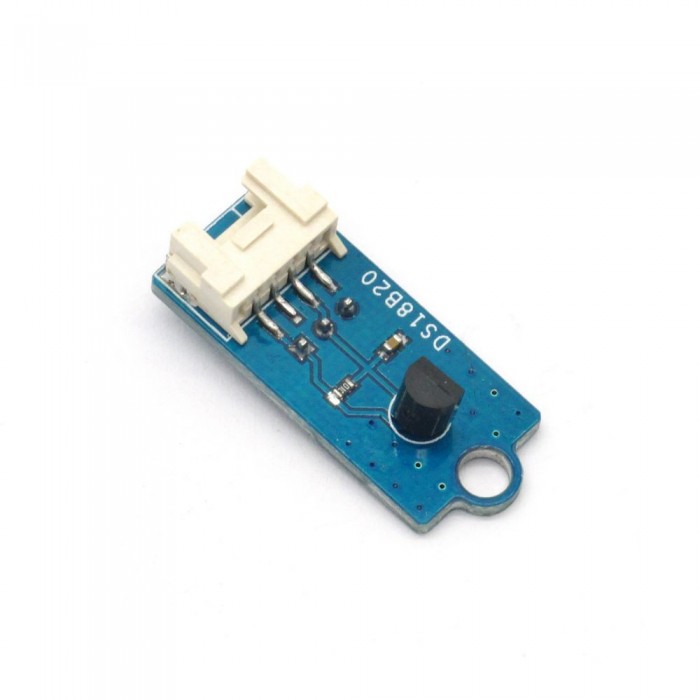
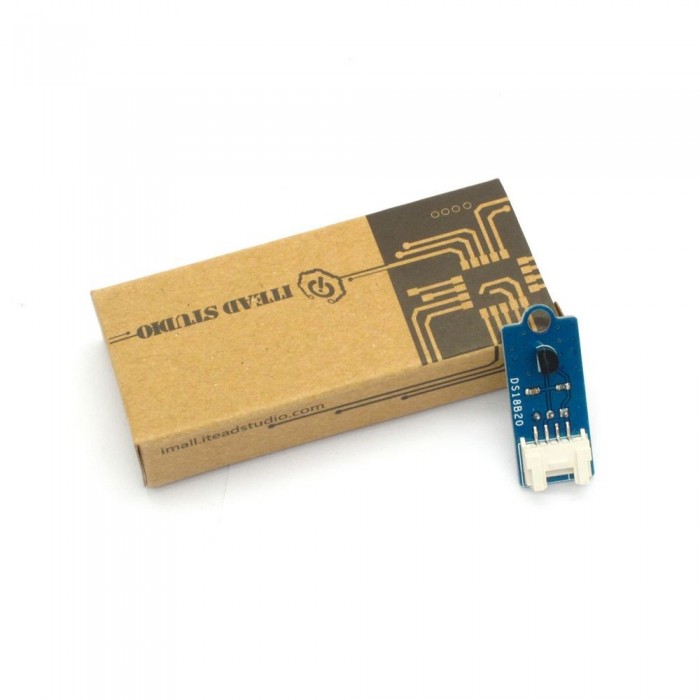
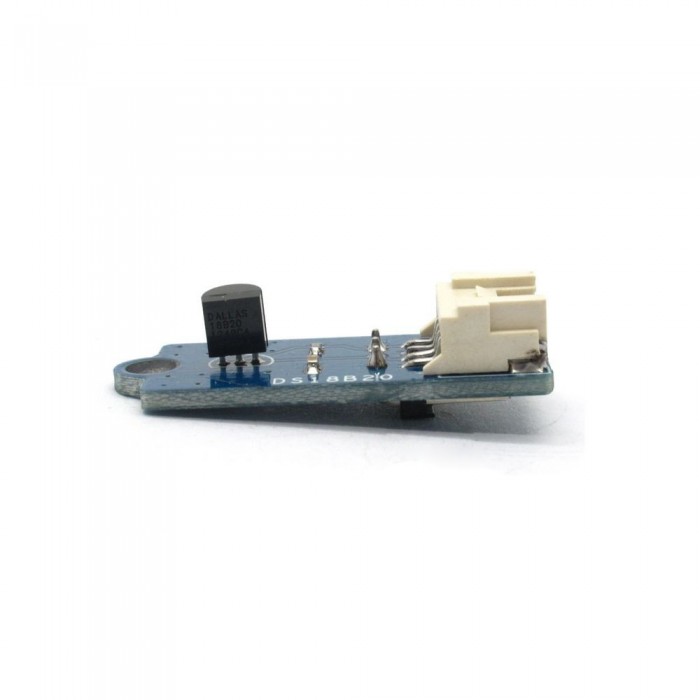
DS18B20 is a single-bus digital temperature sensor with features of ultra-small size, wide range of applicable voltage and measurable temperature and high resolution, etc. , which can be applied to temperature control, industrial systems, consumer products, thermometers or any thermal measurement system.

What is an electronic brick? An electronic brick is an electronic module which can be assembled like Lego bricks simply by plugging in and pulling out. Compared to traditional universal boards and circuit modules assembled with various electronic components, electronic brick has standardized interfaces, plug and play, simplifying construction of prototype circuit on one’s own. There are many types of electronic bricks, and we provide more than twenty types with different functions including buttons, sensors, Bluetooth modules, etc, whose functions cover from sensor to motor drive, from Ethernet to wireless communication via Bluetooth, and so on. We will continue to add more types to meet the various needs of different projects.
Features
1. Plug and play, easy to use. Compatible with the mainstream 2.54 interfaces and 4-Pin Grove interfaces in the market.

2. With use of M4 standard fixed holes, compatible with M4-standard kits such as Lego and Makeblock.

3. Rotatable detecting direction for better adaption.

Specifications
| PCB size | 33.2mm X 14.0mm X 1.6mm |
| Working voltage | 3.3 or 5V DC |
| Operating voltage | 3.3 or 5V DC |
| Measurable range | -55~+125℃ |
| Measurement resolution | 9~12bits(programmable) |
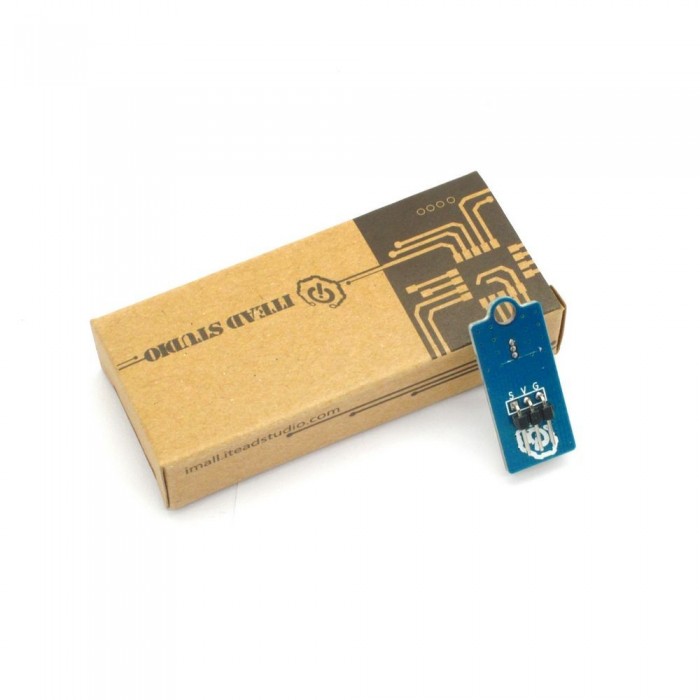
| Compatible interfaces | 2.54 3-pin interface and 4-pin Grove interface(1) |
Note 1: S for digital input/output port, V and G for voltage at the common collector and ground respectively
DC electrical characteristics
| Parameter | Min. | Typical | Max. | Unit | |
| Working voltage | 3 | 5 | 5.5 | VDC | |
| Working current(VCC=5V,T=25℃) | - | 1 | 1.5 | mA | |
| Sampling interval | 1 | - | - | s | |
| Accuracy | -10~+85℃ | - | - | ±0.5 | ℃ |
| -55~+125℃ | - | - | ±2 | ℃ | |
| Logic input low level VIL | -0.3 | - | +0.8 | V | |
| Logic input high level VIH | 2.2 | - | 5.5/VCC+0.3 | V | |
AC electrical characteristics
| Parameter | Min. | Typical | Max. | Unit | |
| Temperature conversion time tCONV | 9-bit accuracy | - | - | 93.75 | ms |
| 10-bit accuracy | - | - | 187.5 | ms | |
| 11-bit accuracy | - | - | 375 | ms | |
| 12-bit accuracy | - | - | 750 | ms | |
| Time for strong pullup on tSPON | - | - | 10 | us | |
| Time slot tSLOT | 60 | - | 120 | us | |
| Recovery time tREC | 1 | - | - | us | |
| Write 0 low time tLOW0 | 60 | - | 120 | us | |
| Write 1 low time tLOW1 | 1 | - | 15 | us | |
| Read data valid tRDV | - | - | 15 | us | |
| Reset time high tRSTH | 480 | - | - | us | |
| Reset time low tRSTL | 480 | - | - | us | |
| Presence-detect high tPDHIGH | 15 | - | 60 | us | |
| Presence-detect low tPDLOW | 60 | - | 240 | us | |
| Capacitance CIN/OUT | - | - | 25 | pF | |
Instruction
Each DS18B20 has a unique 64-bit serial code, which allows multiple DS18B20s to function on the same 1-Wire bus. The figure below shows a block diagram of DS18B20. The scratchpad memory contains the 2-byte temperature register that stores the datal output from the temperature sensor. In addition, the scratchpad provides access to direct temperature alarm trigger registers (TH and TL) and the 1-byte configuration register. The configuration register allows the user to set the resolution of the temperature-to-digital conversion to 9, 10, 11, or 12 bits. The TH, TL, and configuration registers are nonvolatile (EEPROM), so they will retain data when the device is powered down.

DEMO
Connect S port of DS18B20 electronic brick to D0 port of Arduino board, and we will use the following program to read register information and temperature value.
|
1
2
3
4
5
6
7
8
9
10
11
12
13
14
15
16
17
18
19
20
21
22
23
24
25
26
27
28
29
30
31
32
33
34
35
36
37
38
39
40
41
42
43
44
45
46
47
48
49
50
51
52
53
54
55
56
57
58
59
60
61
62
63
64
65
66
67
68
69
70
71
72
73
74
75
76
77
78
79
80
81
82
83
84
85
86
87
88
89
90
91
92
93
94
95
96
97
98
99
100
101
102
103
104
105
106
107
|
#include // OneWire DS18S20, DS18B20, DS1822 Temperature Example// The DallasTemperature library can do all this work for you!OneWire ds(10); // on pin 10void setup(void) {Serial.begin(9600);}void loop(void) {byte i;byte present = 0;byte type_s;byte data[12];byte addr[8];float celsius, fahrenheit;if ( !ds.search(addr)) {Serial.println("No more addresses.");Serial.println();ds.reset_search();delay(250);return;}Serial.print("ROM =");for( i = 0; i < 8; i++) {Serial.write(' ');Serial.print(addr[i], HEX);}if (OneWire::crc8(addr, 7) != addr[7]) {Serial.println("CRC is not valid!");return;}Serial.println();// the first ROM byte indicates which chipswitch (addr[0]) {case 0x10:Serial.println(" Chip = DS18S20"); // or old DS1820type_s = 1;break;case 0x28:Serial.println(" Chip = DS18B20");type_s = 0;break;case 0x22:Serial.println(" Chip = DS1822");type_s = 0;break;default:Serial.println("Device is not a DS18x20 family device.");return;} ds.reset();ds.select(addr);ds.write(0x44,1); // start conversion, with parasite power on at the enddelay(1000); // maybe 750ms is enough, maybe not// we might do a ds.depower() here, but the reset will take care of it.present = ds.reset();ds.select(addr); ds.write(0xBE); // Read ScratchpadSerial.print(" Data = ");Serial.print(present,HEX);Serial.print(" ");for ( i = 0; i < 9; i++) { // we need 9 bytesdata[i] = ds.read();Serial.print(data[i], HEX);Serial.print(" ");}Serial.print(" CRC=");Serial.print(OneWire::crc8(data, 8), HEX);Serial.println();// convert the data to actual temperatureunsigned int raw = (data[1] << 8) | data[0];if (type_s) {raw = raw << 3; // 9 bit resolution defaultif (data[7] == 0x10) {// count remain gives full 12 bit resolutionraw = (raw & 0xFFF0) + 12 - data[6];}} else {byte cfg = (data[4] & 0x60);if (cfg == 0x00) raw = raw << 3; // 9 bit resolution, 93.75 mselse if (cfg == 0x20) raw = raw << 2; // 10 bit res, 187.5 mselse if (cfg == 0x40) raw = raw << 1; // 11 bit res, 375 ms// default is 12 bit resolution, 750 ms conversion time}celsius = (float)raw / 16.0;fahrenheit = celsius * 1.8 + 32.0;Serial.print(" Temperature = ");Serial.print(celsius);Serial.print(" Celsius, ");Serial.print(fahrenheit);Serial.println(" Fahrenheit");} |
| Brick Type | Sensor Brick |
|---|---|
| Brick Interface | 3PIN |
| Brick Power Supply | 5V |
| Board Size | 33.2 × 14 × 1.6mm |
| LED Color | No |
| Weight | 15.00g |
| Model | IM120710012 |
Écrire un avis
Votre nom :Votre avis : Note : Le HTML n’est pas pris en charge !
Évaluation : Mauvais Bon
Saisir le code ci-dessous :
Service client
horaire d'ouverture
Nous contacter
- +213 540 265 592
- +213 45 366 373
- +213 540 265 592
- contact@dzduino.com
- Cité 122 Logements, Bloc A3, N°14 Chemouma - Mostaganem (En Construction‬â€)
Dzduino Retail Store


Dzduino Electronics © 2013-2015. All Rights Reserved
Le produit est en rupture de stock. Entrez votre adresse email ci-dessous et nous vous informerons des que le produit sera disponible.
