Notice: unserialize(): Error at offset 4806 of 4926 bytes in /home/v1/public_html/index.php on line 71

Notice: unserialize(): Error at offset 4806 of 4926 bytes in /home/v1/public_html/index.php on line 71
welcome_module==>a:2:{i:1;a:5:{s:11:"description";a:2:{i:1;s:1099:"<p>Dzduino is <span style="font-size:14px">first electronics on-line store in algeria,</span> a place where to find all you needs to build arduino related projects as well as prototypes and robots, we&nbsp; provide a lot of products in that scope.</p> <p>Our Products are produced by deferent manefacturers, they are all based on the genuine arduino design plus major improvement, like the mini usb port, the new ftdi chip, the extra headers pins which allows you to do basic interfacing without any io shield, check our products under the <a href="http://store.dzduino.com/store">Store</a> section.</p> <p>Deferent Wiki&#39;s, manuals and how-to&#39;s may be found under the <a href="http://store.dzduino.com/blogs">Wiki</a> Section.</p> <p>You are welcome to share us your projects and questions under our <a href="http://blog.dzduino.com/">blog</a> section, subscribe for free, blog and win points and discounts for all our products.</p> ";i:2;s:1518:"<p>Dzduino est <span style="font-size:12px"><span style="font-size:14px">La premi&egrave;re Boutique de l&#39;&eacute;lectronique en ligne en Alg&eacute;rie</span>, </span>un endroit o&ugrave; trouver tous vos besoins pour construire des projets d&#39;Arduino ainsi que des prototypes et des robots, nous fournissons beaucoup de Produits dans ce domaine.</p> <p>Nos produits sont fabriqu&eacute;s par des d&eacute;f&eacute;rents fabricants, ils sont tous bas&eacute;s sur la conception Arduino v&eacute;ritable, plus des&nbsp;am&eacute;liorations majeurs, comme le port mini-USB, le nouveau controlleur ftdi, les en-t&ecirc;tes I/O suppl&eacute;mentaires qui vous permet de faire des intrfaces de base sans shield , v&eacute;rifier nos produits dans la section <a href="http://store.dzduino.com/store">Magasin</a>.</p> <p>Les D&eacute;f&eacute;rent Wiki&#39;s, Manuels et how-to&#39;s peuvent &ecirc;tre trouv&eacute;es dans la section <a href="http://store.dzduino.com/blogs">Wiki</a>.</p> <p>Vous &ecirc;tes invit&eacute;s &agrave; nous partager vos projets et questions dans notre section <a href="http://blog.dzduino.com">Blog</a>, inscrivez-vous gratuitement, bloger et gagner des points et des r&eacute;ductions pour tous nos produits.</p> ";}s:9:"layout_id";s:1:"1";s:8:"position";s:11:"content_top";s:6:"status";s:1:"0";s:10:"sort_order";s:1:"2";}i:2;a:5:{s:11:"description";a:2:{i:1;s:833:"<p>Dear Customers,</p> <p>We have received some respected complains about the price of our products, the fact is, we kept them as low as possible but they are still much for you the thing that we can uderstand, the reson is that we are still beginners in our orders, some products we buy in the retail price, add to that 10-30% of customes, another 17% of VAT,&nbsp; Shipping cost and another fees, briefly 30 to 70% extra fees, it&#39;s not easy to import electronics in our country.</p> <p>Nevertheless, some other things like arduino, iteaduino, sparkfun products, you will find our prices amazing.</p> <p>We promise that with the times prices will get low.</p> <p>We strongly recommand any advies or question regarding any thing and thank you.</p> ";i:2;s:1125:"<p>Chers clients,</p> <p>Nous avons re&ccedil;u des r&eacute;clamations sur ​​les prix de nos produits, le fait est, nous essayons toujours de maintenir les prix le plus bas possible, mais ils sont encore beaucoup pour vous la chose que nous pouvons comprendre, la raison en est que nous sommes encore d&eacute;butants dans nos commandes, certains produits nous achetons dans le prix d&eacute;tail, plus 10-30% de d&eacute;douanement, un autre 17% de la TVA, frais de transport et autres frais, en bref 30 &agrave; 70% de frais suppl&eacute;mentaires, il n&#39;est pas facile d&#39;importer l&#39;&eacute;lectronique dans notre pays.</p> <p>N&eacute;anmoins, d&#39;autres produits comme Arduino, iteaduino, produits de Sparkfun, vous allez trouver que nos prix sont imbattable.</p> <p>Nous vous promettons que avec le temps que les prix vont diminuer progressivement.</p> <p>Vous &ecirc;tes invit&eacute;s &agrave; nous partager vos remarques et avis.</p> <p>Merci</p> ";}s:9:"layout_id";s:1:"1";s:8:"position";s:11:"content_top";s:6:"status";s:1:"0";s:10:"sort_order";s:1:"1";}}
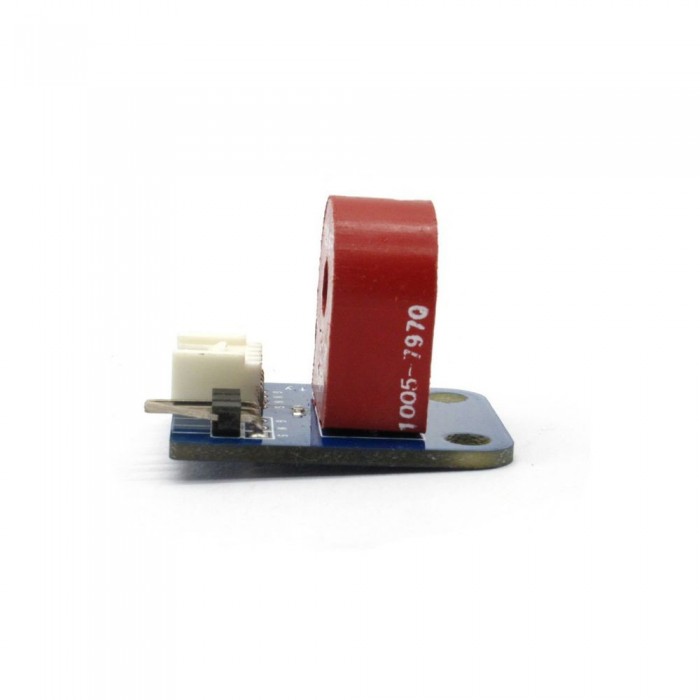
Capteur Compteur électrique (analogique)
Catégories
Promotions
  • Sparkfun
  • DFRobot
  • HobbyKing
  • Makeblock
  • Raspberry
  • Microduino
  • SainSmart
  • Arduino
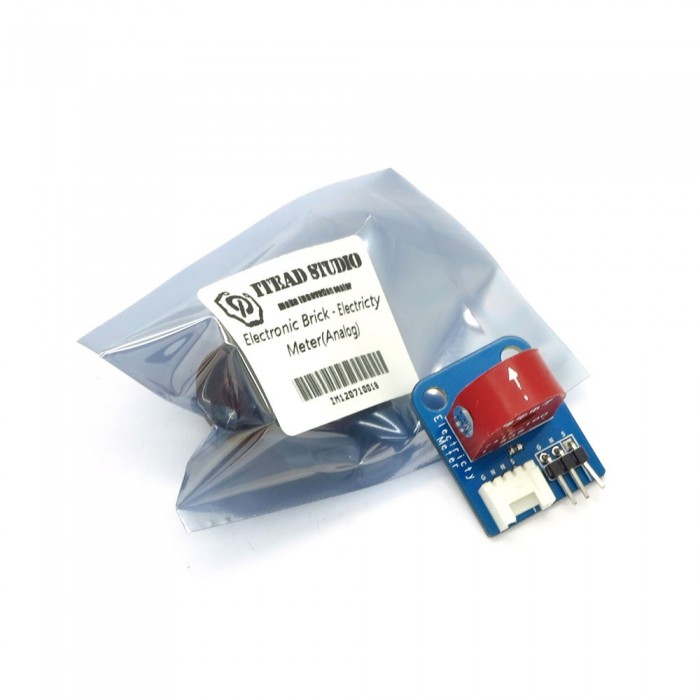
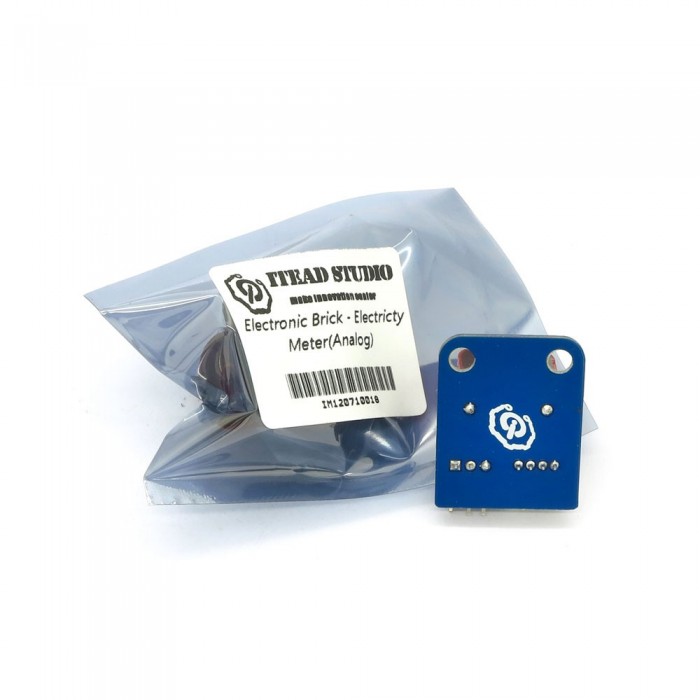
Capteur Compteur électrique (analogique)
Capteur Compteur électrique (analogique) Capteur Compteur électrique (analogique) Capteur Compteur électrique (analogique) Capteur Compteur électrique (analogique)

Capteur Compteur électrique (analogique)

Prix : 1.300,00DA
H.T : 1.300,00DA
Modèle : DZD000094
Fabricant : IteadStudio
Disponibilité : 10
N° de visites: 823


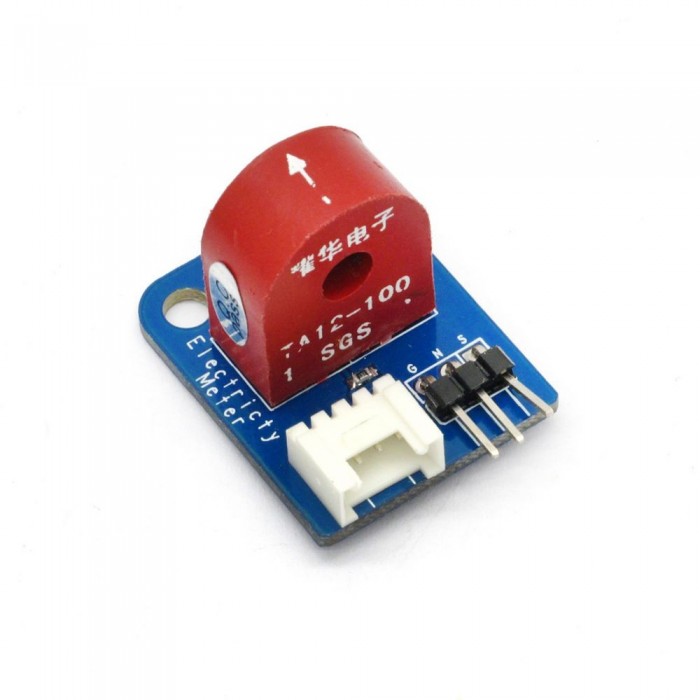
Electronic brick of electricity sensor is based on TA12-100 current transformer, which can transform AC signals of large current into small amplitude signals. The maximum current that can be detected can reach 5A, and the present current signal can be read via analog I / O port.

What is an electronic brick? An electronic brick is an electronic module which can be assembled like Lego bricks simply by plugging in and pulling out. Compared to traditional universal boards and circuit modules assembled with various electronic components, electronic brick has standardized interfaces, plug and play, simplifying construction of prototype circuit on one’s own. There are many types of electronic bricks, and we provide more than twenty types with different functions including buttons, sensors, Bluetooth modules, etc, whose functions cover from sensor to motor drive, from Ethernet to wireless communication via Bluetooth, and so on. We will continue to add more types to meet the various needs of different projects.

Features

1. Plug and play, easy to use. Compatible with the mainstream 2.54 interfaces and 4-Pin Grove interfaces in the market.

2. With use of M4 standard fixed holes, compatible with M4-standard kits such as Lego and Makeblock.

Specifications

PCB size 30.0mm X 24.0mm X 1.6mm
Compatible interfaces 2.54 3-pin interface and 4-pin Grove interface(1)

Note 1:  S for analog output port, G for ground, and N for not used pin.

Electrical characteristics

Parameter Min. Typical Max. Unit
Transformation coefficient - 1000:1 - -
Input current 0 - 5 A
Output current 0 - 5 mA
Sampling resistor - 200 - Ω
Sampling voltage 0 - 1 V
Working frequency 20 - 20000 Hz
 Working temperature -55 - 85 ℃
 Dielectric strength - 6 - KAC/1min

DEMO

Connect S port of electronic brick of electricity sensor to A0 port of Arduino board, and we will use the following program to read the analog value, and the send it to computer for display via serial port.


1
2
3
4
5
6
7
8
9
10
11
12
13
14
15
16
17
18
19
20
21
22
23
24
25
26
27
28
29
30
31
32
33
34
35
36
37
38
39
40
41
42
43
44
45
46
47
#define ELECTRICITY_SENSOR A0 // Analog input pin that sensor is attached to
 
float amplitude_current;               //amplitude current
float effective_value;       //effective current
 
void setup()
{
    Serial.begin(9600);
    pins_init();
}
void loop()
{
    int sensor_max;
    sensor_max = getMaxValue();
    Serial.print("sensor_max = ");
    Serial.println(sensor_max);
    //the VCC on the Grove interface of the sensor is 5v
    amplitude_current=(float)sensor_max/1024*5/200*1000000;
    effective_value=amplitude_current/1.414;
    //minimum_current=1/1024*5/200*1000000/1.414=24.4(mA)
    //Only for sinusoidal alternating current  
    Serial.println("The amplitude of the current is(in mA)");
    Serial.println(amplitude_current,1);//Only one number after the decimal point
    Serial.println("The effective value of the current is(in mA)");
    Serial.println(effective_value,1);
}
void pins_init()
{
    pinMode(ELECTRICITY_SENSOR, INPUT);
}
/*Function: Sample for 1000ms and get the maximum value from the SIG pin*/
int getMaxValue()
{
    int sensorValue;             //value read from the sensor
    int sensorMax = 0;
    uint32_t start_time = millis();
    while((millis()-start_time) < 1000)//sample for 1000ms
    {
        sensorValue = analogRead(ELECTRICITY_SENSOR);
        if (sensorValue > sensorMax)
        {
            /*record the maximum sensor value*/
            sensorMax = sensorValue;
        }
    }
    return sensorMax;
}
 
Brick Type Sensor Brick
Brick Interface 3PIN
Brick Power Supply 5V
Board Size 30 × 24 × 1.6mm
LED Color No
Weight 25.00g
Model IM120710018

Écrire un avis

Votre nom :


Votre avis : Note : Le HTML n’est pas pris en charge !
Évaluation : Mauvais             Bon

Saisir le code ci-dessous :


Le produit est en rupture de stock. Entrez votre adresse email ci-dessous et nous vous informerons des que le produit sera disponible.

Email